

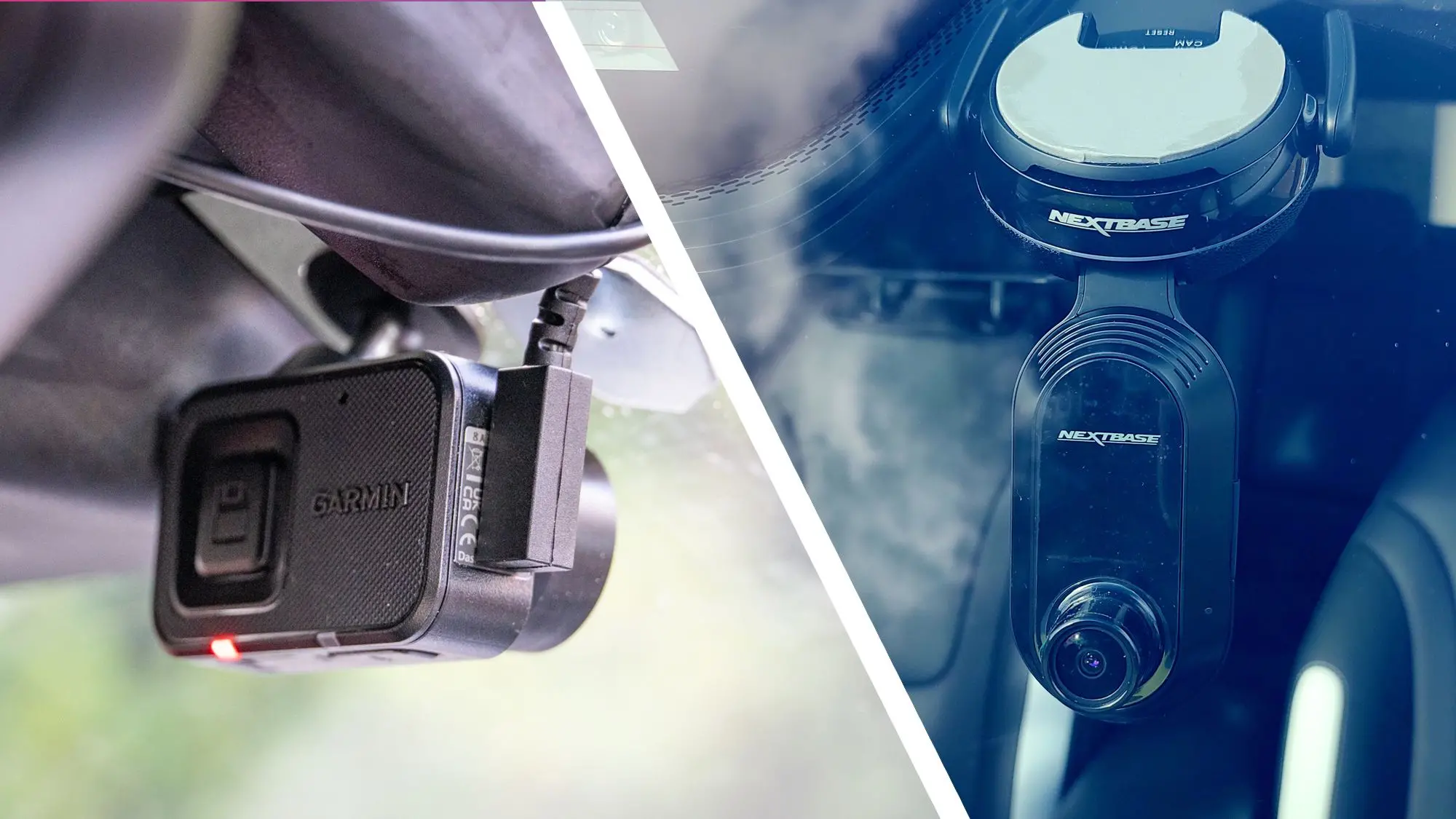
Dash cams have evolved from niche gadgets to essential driving companions. Whether you want to protect yourself against fraudulent insurance claims, capture scenic road trips, or simply keep an eye on your parked car, a good dash camera is invaluable. Our team has spent months testing the latest models from Garmin, Nextbase, 70mai, and other major brands, driving on highways, city streets, and dark country roads to evaluate video quality, ease of use, reliability, and extra features. After countless hours of footage review, we've identified the finest car cameras on the market today.
Why You Need a Dash Cam
Dash cams provide an unbiased record of events on the road. In an accident, video evidence can settle disputes with insurers and police, often speeding up claims and protecting your no-claims bonus. Hit-and-run incidents become easier to resolve when you have a clear recording of the offending vehicle's plate. Additionally, many dash cams offer parking mode, which monitors your car while you're away, capturing any bumps, scratches, or break-ins. For rideshare drivers and delivery workers, a dash cam is practically a professional necessity. The peace of mind alone makes a dash cam one of the most cost-effective safety investments you can buy.
How We Test Dash Cams
Our testing process involves driving with each camera for at least two weeks, covering more than 500 miles across varied environments. We assess video quality in daylight, at night, and in challenging low-light conditions like tunnels and dusk. We also test the field of view, frame rates, and the ability to capture number plates at speed. Mounting mechanisms are stressed to see if they hold firm on bumpy roads and in high temperatures. We evaluate mobile apps for ease of setup, live view, and file sharing. Battery life and supercapacitor performance are checked, along with parking mode's motion detection and impact sensors. Finally, we consider value for money, weighing features against price to find the best options for different budgets.
Top Dash Cam Picks
Garmin Dash Cam 67W
The Garmin Dash Cam 67W is a compact powerhouse. It shoots crisp 1440p video at 60 frames per second, making it extremely effective at capturing fast-moving vehicles and clear number plates. Its 180-degree field of view is among the widest we've tested, covering almost every lane and both sidewalks. Garmin's driver assistance features, such as forward collision and lane departure warnings, are unobtrusive and genuinely useful, though you can turn them off if you find them distracting. The magnetic mount is superb, allowing quick removal and reattachment, and the camera's small size means it tucks neatly behind the rearview mirror. With dual-band Wi-Fi and built-in memory, transferring footage to your phone is effortless. The Garmin 67W is our favorite for most drivers thanks to its blend of performance, reliability, and user experience.
Nextbase 622GW
The Nextbase 622GW is a flagship dash cam that sets the benchmark for video quality. It records in sharp 4K resolution at 30fps, and its sensor excels in low-light conditions, producing surprisingly detailed footage at night. A standout feature is the integrated polarizing filter, which reduces glare and reflections significantly. The 622GW also includes a touchscreen, making menu navigation and playback much easier while parked. Nextbase's 'What3Words' integration is innovative, embedding your exact location into recordings — a huge help when sharing coordinates with emergency services. Its image stabilization smooths out vibrations, and the optional rear camera module adds comprehensive coverage. While it's one of the more expensive options, the 622GW justifies its price with exceptional performance and a mature, app-supported ecosystem.
70mai A800S
For budget-conscious buyers, the 70mai A800S is a revelation. Priced significantly lower than its competitors, it still delivers 4K front video and 1080p rear video if you purchase the optional rear cam. The Sony IMX415 sensor produces vibrant, punchy colors during the day and maintains good visibility after dark. The 2-inch screen is basic but functional, and the companion app works reliably for viewing and downloading clips. 70mai's parking mode is particularly well-implemented, with motion detection and a buffered recording mode that captures ten seconds before an event. Build quality is solid, and the included GPS logger embeds speed and route data. The A800S is the best value dash cam we've tested, making 4K recording accessible to almost everyone.
Thinkware U1000
Thinkware has long been a leader in premium dash cams, and the U1000 continues that tradition. It offers 4K front and 2K rear recording with advanced night vision that captures incredibly clear images in almost total darkness. Its parking mode is the most sophisticated we've seen, with energy-saving features and a cloud feature that lets you check your vehicle remotely via 4G LTE (subscription required). The U1000 is packed with driver assistance systems, including forward collision warning, lane departure warning, and red light camera alerts. However, the U1000 requires professional installation to access all features, especially parking mode and cloud connectivity. It's an investment, but for those who want premium security and are willing to pay for it, the Thinkware U1000 is a top-tier choice.
Nextbase 322GW
For an affordable yet dependable option, the Nextbase 322GW is our top mid-range pick. It records at 1440p with excellent detail for its price, and it benefits from the same easy-to-use ClickMount system as the higher-end models. The dedicated Image Quality button lets you quickly switch between high and standard settings, and the intelligent parking mode can be activated with just a couple of taps. While it lacks 4K or advanced driver aids, the 322GW delivers reliable core performance and crisp footage. It also supports the full range of Nextbase rear and interior camera modules, so you can expand coverage later. This makes it a great choice for first-time buyers or as a gift for a new driver.
Key Features to Consider
When selecting a dash cam, focus on video resolution. 1080p is the minimum you should accept, but 1440p and 4K offer significantly better detail, especially when reading license plates. Frame rate matters too: 60fps captures smoother motion and reduces blur. The lens field of view should be wide enough to cover multiple lanes, but not so wide that it creates fisheye distortion. A wide dynamic range (WDR) is crucial for balancing bright skies and dark shadows. Parking mode is essential if you want protection while parked, and it requires a hardwired connection or a separate battery pack to avoid draining your car's battery. GPS logging records speed and location, providing extra context in an incident. Wi-Fi and Bluetooth connectivity make it easy to view and download footage. Finally, consider storage: most dash cams support microSD cards, and high-endurance cards are recommended because they are designed to handle constant rewriting.
Installation and Setup
Installing a dash cam is usually a straightforward DIY job. Start by positioning the camera behind the rearview mirror, ensuring it has a clear view of the road without obstructing your vision. Clean the windshield area thoroughly, then attach the mount using the provided adhesive pad. Route the cable along the headliner and down the A-pillar, then across to the cigarette lighter or a USB port. For a cleaner look, you can use a hardwiring kit that connects to your fuse box, which also enables parking mode. Most kits come with a fuse tap and detailed instructions, but if you're not comfortable working with your car's electrical system, a professional installer can do it in about half an hour. After installation, format the microSD card in the dash cam and take a test drive to confirm the recording angle and quality.
Legal Considerations
Before using a dash cam, be aware of local laws. In many regions, it's legal to record public roadways, but restrictions vary. For example, in some countries, you must not obstruct your windshield view with a device, and recording audio may require consent from passengers. Parking mode that records while your car is parked may also be subject to privacy rules. In the UK and Europe, dash cams are widely accepted, but the Information Commissioner's Office has issued guidelines that recordings should be used only for personal purposes and not continuously published online. In the US, most states allow dash cams, but a few have restrictions on windshield placement or audio recording. Always check your local regulations to ensure you're compliant.
Screen and App Experience
A built-in screen is convenient for reviewing footage on the spot, rotating the camera, or quickly changing settings. However, high-resolution screens add to the cost and size. Many modern dash cams rely primarily on smartphone apps. Good apps allow you to see a live view, adjust settings, download recordings, and even share clips to social media. We found that Garmin's app is the most polished, followed by Nextbase and Thinkware. 70mai's app, while functional, occasionally has connection hiccups. For basic operations, both screens and apps are fine, but for in-depth analysis of footage, having an app is far more useful. Some cameras support voice control, enabling you to say 'save video' or 'take photo' without taking your hands off the wheel.
Memory Cards and Storage
Dash cams write continuously, so the memory card must be reliable. We recommend using high-endurance microSD cards from reputable brands like SanDisk, Samsung, or Kingston. They are built to withstand the high read/write cycles and extreme temperatures inside a car. A 64GB or 128GB card is ideal if you want to store several hours of 4K footage before looping overwrites the oldest files. Larger cards are also useful if you frequently need to extract footage for incidents or scenic drives. Always format the card in the dash cam regularly, or use the camera's formatting reminder, to prevent file corruption. Some dash cams now have built-in storage, which is convenient but can limit capacity and makes it harder to transfer files.
Power and Parking Mode
Most dash cams use a supercapacitor instead of a lithium battery, which is safer at high temperatures and lasts longer. However, supercapacitors can only provide a few seconds of power to save footage when the ignition is turned off, so parking mode requires a constant supply. This is usually achieved with a hardwire kit that taps into your car's fuse box and monitors voltage to prevent battery drain. Some premium models like the Thinkware U1000 offer a battery pack option that keeps the camera running for hours in parking mode. When evaluating parking mode, consider the sensitivity of the motion sensor and impact sensor, as well as the ability to choose recording zones. The best parking modes will wake up instantly when a person or vehicle approaches, capture a short clip, and then return to sleep.
Frequently Asked Questions
Are dash cams legal?
Yes, they are legal in most countries, but you must follow specific rules about placement and audio recording. It's best to check local laws.
Do dash cams drain car batteries?
Dash cams without parking mode drain only when the ignition is on. If you use parking mode with a hardwire kit, a voltage monitor is included to protect your battery.
Can dash cams be left in hot cars?
Most are designed to handle extreme temperatures, but you should choose a model with a supercapacitor, which is more heat-resistant than a lithium battery.
Will a dash cam void my car warranty?
No, but improper installation that damages electrical components could cause issues. Using a professional installer avoids this risk.
How do I download footage?
You can either remove the microSD card and use a card reader, or use the dash cam's Wi-Fi and its companion app to wirelessly transfer files to your phone.
What's the best resolution?
4K offers the finest detail, but 1440p is a good balance of quality and file size. 1080p is acceptable but may miss fine details on fast-moving plates.
Ultimately, the best dash cam is one that fits your budget, meets your driving needs, and gives you confidence behind the wheel. Whether you choose the feature-rich Garmin 67W, the superb Nextbase 622GW, or the value-packed 70mai A800S, having a reliable witness on board is always a smart decision. Our testing shows that today's dash cams offer remarkable clarity and intelligence at every price point, making it easier than ever to drive with security and peace of mind.
Source:TechRadar News